 Timeline Recovery · for iPhone
Forgot the restaurant? Your photo didn’t.
Google Maps Timeline is gone, but every photo on your iPhone still knows where and when it was taken. Timeline Recovery turns them back into a map of everywhere you’ve been — so that dinner from ten years ago is a few taps away.
Free to try
One-time unlock · no subscription

From one photo back to the place — in three steps
 01
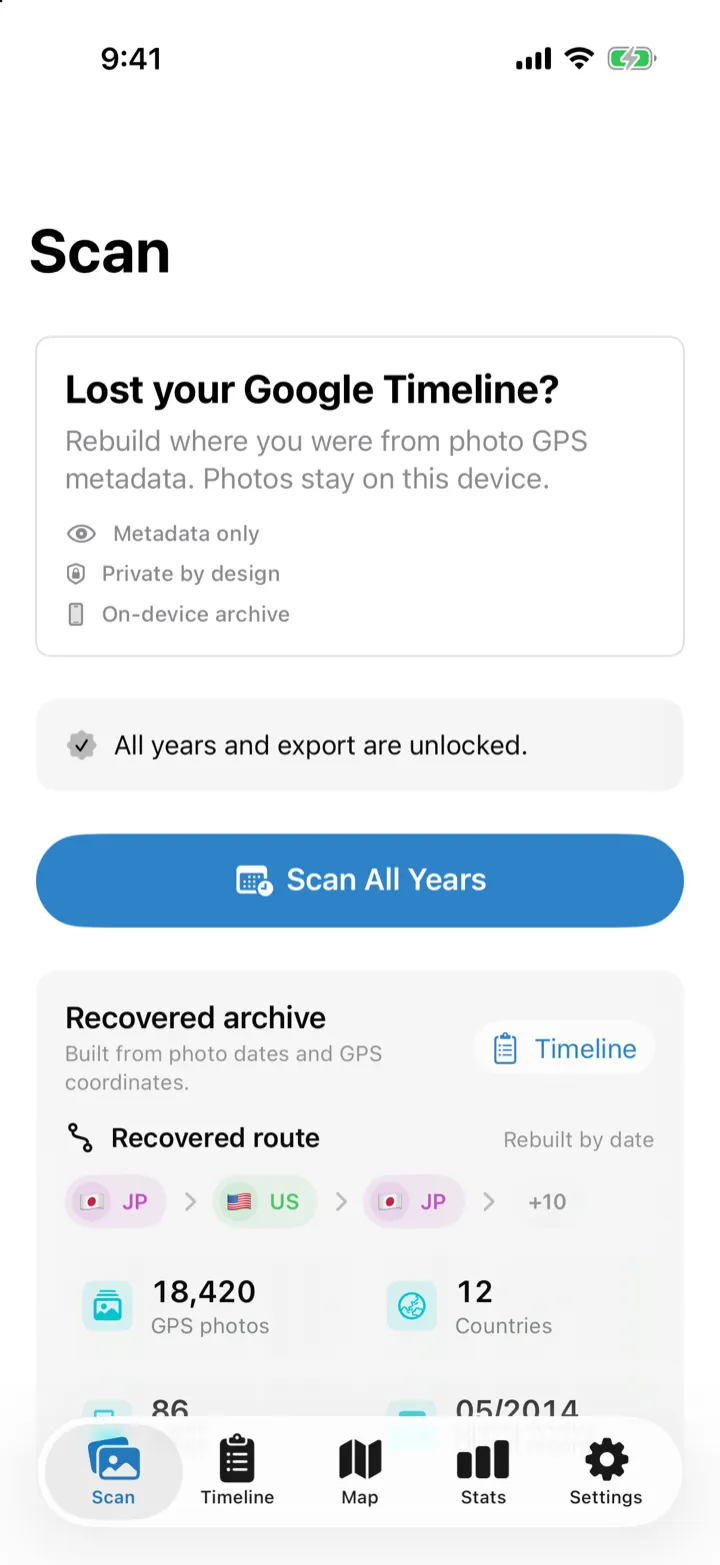
01Scan your photos
Reads only the date and GPS location stored in each photo. It runs on your iPhone — nothing is uploaded.
 02
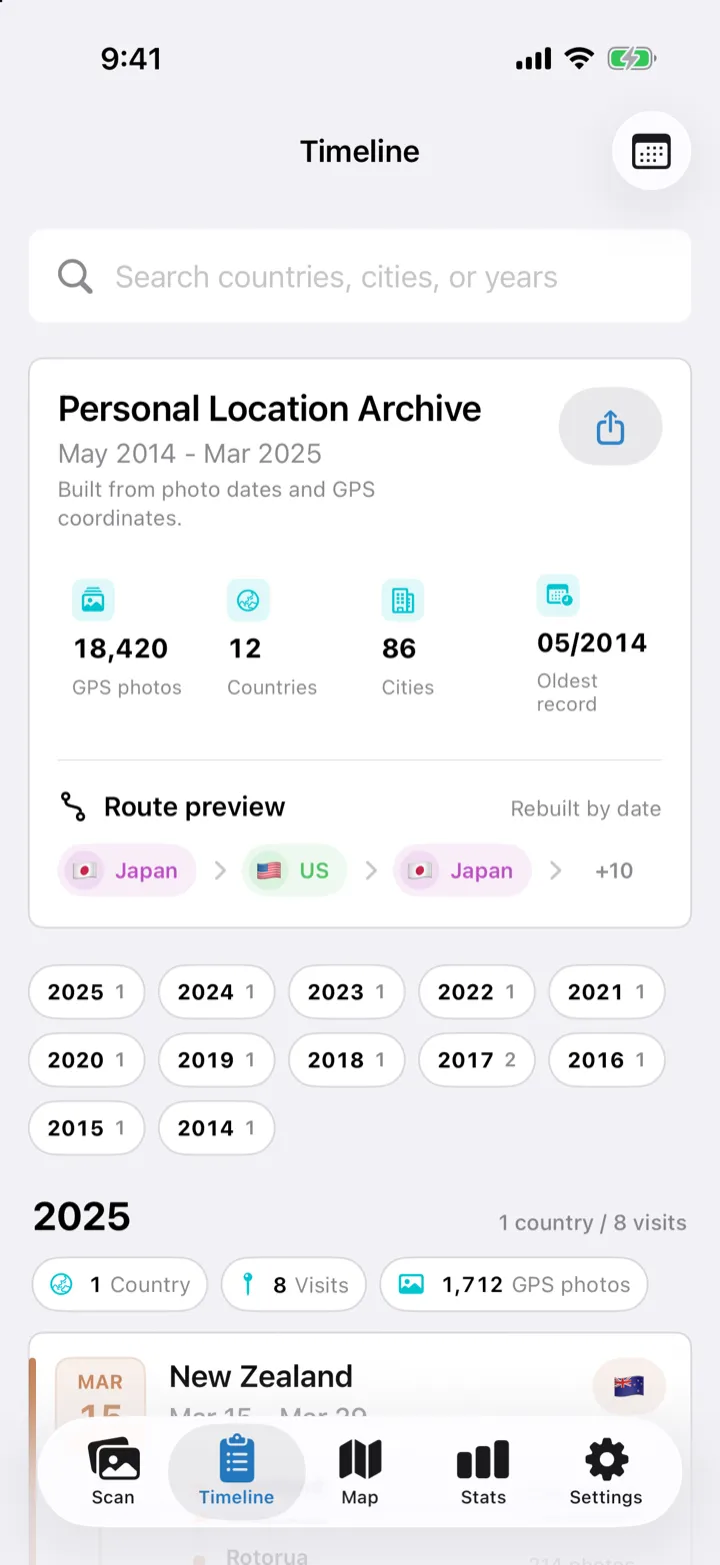
02Go back to that year
Your visits, rebuilt by year, country and city. Jump straight to the month you remember.
 03
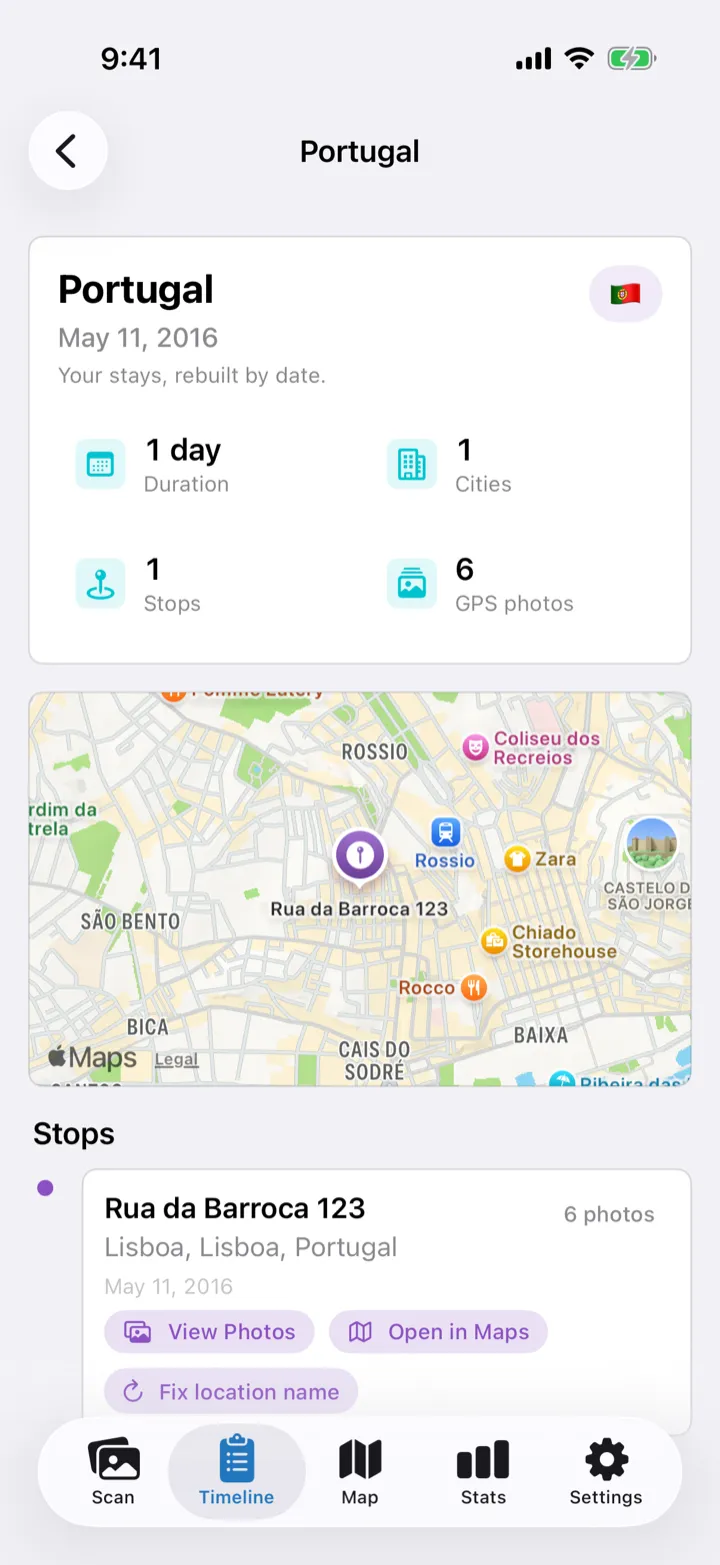
03Find the place again
See the photos from that visit and the spot on the map, then open it in Apple Maps or Google Maps to look up its name.
Your photos stay on your iPhone
No upload, no copies, no account.
Made for big libraries
Ten years of photos or more? Scan once — new photos are added next time.
Free to try, yours to keep
One-time unlock. No subscription.
The details
Everything you’d want to know before you download
What it does
- Rebuilds your visits from the date and GPS location in your photos
- Timeline by year, country and city, with search and a month filter
- A map of every visit, color-coded by country
- Shows the original photos behind each visit
- Opens any visit in Apple Maps or Google Maps
- Your top countries and cities at a glance
- Exports to CSV, JSON, GeoJSON, GPX and KML
What it can’t do
- Recover data deleted from Google’s servers — it rebuilds from your own photos
- Place photos that have no GPS location (videos aren’t used)
- Recognize what’s in a photo or name a restaurant by itself — Apple Maps or Google Maps does that part
- Draw your exact route between photos
- Sync between devices — your archive lives on this iPhone
Free
See your last 12 months
- Last 12 months, up to 1,000 GPS photos
- Timeline, map, stats and visit photos
- Open in Maps
Lifetime Unlock · one-time purchase
Every year you’ve ever photographed
- Your whole library — every year, every GPS photo
- Export to CSV, JSON, GeoJSON, GPX and KML
- No subscription. Price shown in the App Store.
Privacy
- Photos are never uploaded or copied
- Only capture dates, GPS coordinates and photo IDs are read
- No location permission, no live tracking
- No account, no ads, no analytics
- City names are looked up with Apple’s geocoding service; a maps app opens only when you tap
Requirements
- iPhone or iPad with iOS 17 or later
- Photos that include location (Camera location was on when they were taken)
- Available in 14 languages
FAQ
Can it bring back my Google Maps Timeline?
Not the Google data itself. It rebuilds a new history from the locations already saved in your photos, so the places where you took photos come back — days without photos don’t.
How precise is the location?
Photos taken close together in time and place become one visit, and the pin sits at their center. That’s usually close enough to spot the place on a map.
My old photos are in iCloud. Does it still work?
Yes. The scan uses the location info your iPhone already has, without downloading your photos. To view a photo that’s stored only in iCloud, tap to load it.
What if I only allow access to some photos?
Only the photos you select are scanned. You can add more at any time.
Will I lose my archive if I delete the app?
The archive lives only in the app, but your photos are untouched — install again, scan, and it comes back. With Lifetime Unlock you can also export a copy anytime.
Your photos remember where you’ve been.
See what they bring back — free.
Download on the App StoreTimeline Recovery is an independent app and is not affiliated with Google.